

Table of contents
How high to mount a TV and choose a TV stand
The number one mistake in a living room is a badly proportioned TV corner. Either the stand is half the width of the wall and the room looks like an 80s studio, or the TV seems to float in mid air above a tiny stand. In both cases the result jumps out at you without your knowing why. Yet it all comes down to three simple numbers: the stand width, the TV to stand ratio, and the screen height. This is exactly what decorators rely on to make a TV corner feel settled, balanced and comfortable.
In this guide you will see which stand width to pick for your wall, which TV size to place on it, how high to set the screen, how far to sit, and how to avoid the mistakes that break everything.
The right stand width for your wall
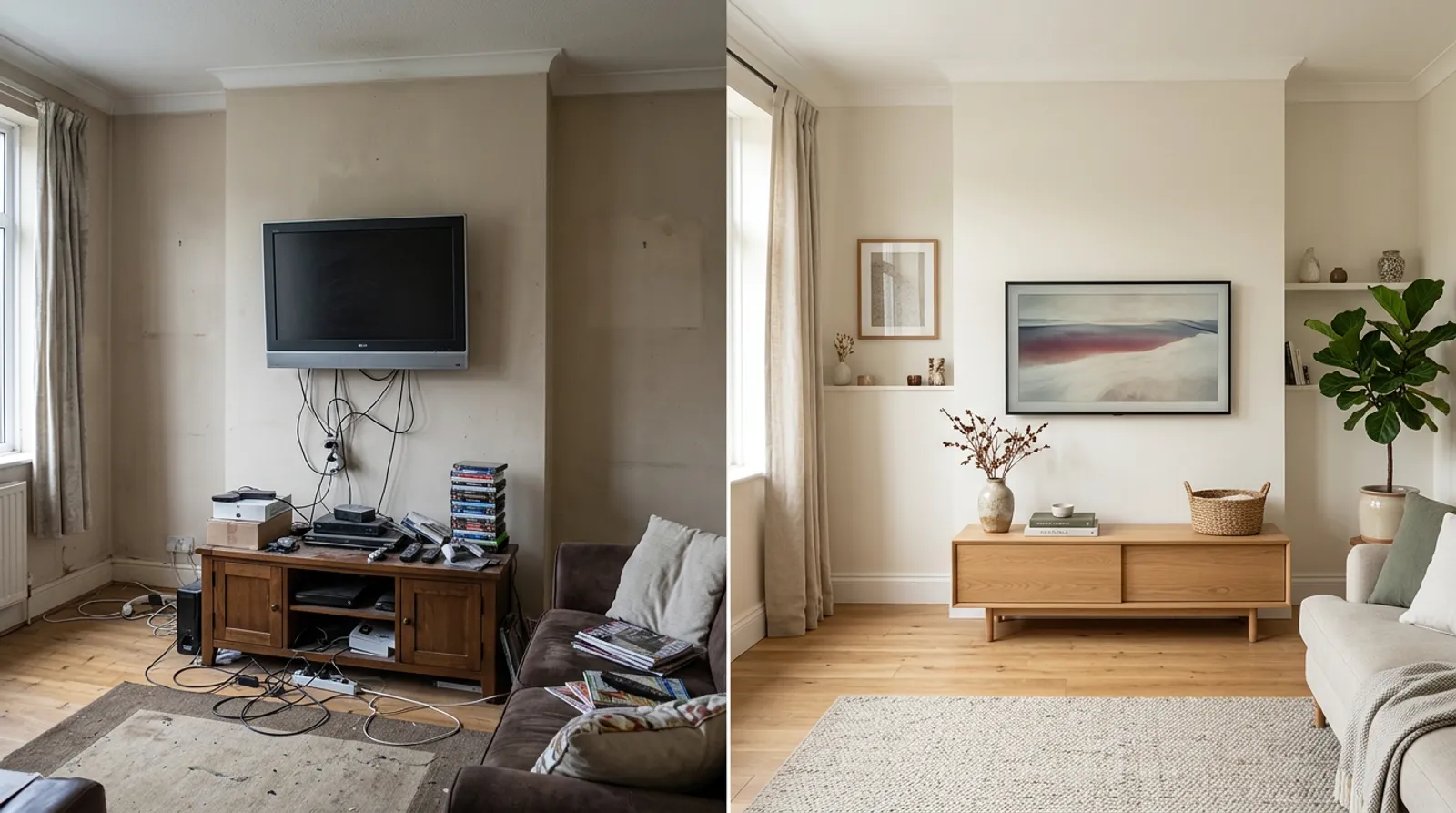 Design idea: a TV and media unit set at the right height
The basic rule: the TV stand should take up between two thirds and three quarters of the wall width. Less and it looks lost; more and it overwhelms the space. Here are the exact sizes by wall width:
- 2.5 m wall: a 165 to 190 cm stand (ideal 170-180 cm).
- 3 m wall: a 200 to 225 cm stand. This is the most common format in France, the real sweet spot.
- 3.5 m wall: a 235 to 265 cm stand. Prefer a floating or modular model to avoid a bulky effect.
- 4 m wall or more: a 265 to 300 cm stand. Think composition: a central stand plus side shelves to fill the wall.
Always measure your wall before buying, tape in hand, and note the number. It is the first step, and the one everyone skips.
Which TV size to place on the stand
The golden rule, no exceptions: the TV diagonal never exceeds the stand width. A TV wider than its support creates an immediate imbalance, like a head too big for its shoulders. The stand must always be wider than the TV.
Starting from the wall width, here is the recommended maximum size:
- 2.5 m wall: up to 50 inches (127 cm diagonal).
- 3 m wall: up to 55 inches (140 cm diagonal).
- 3.5 m wall: up to 65 inches (165 cm diagonal).
- 4 m wall or more: up to 75 inches (190 cm diagonal).
The perfect screen height
This is the setting that changes everything for comfort. The center of the screen goes at 110 cm from the floor, measured while sitting on the sofa. Too high and you strain your neck and get a stiff neck; too low and your back takes the hit.
The quick check: once seated, your eyes should land on the upper third of the screen, head in a neutral position, no neck tension. If you have to lift or drop your chin to look at the center of the picture, the setting is wrong.
This is also why a screen sitting on a low stand, at sofa height, is almost always more comfortable than a screen mounted too high.
How far to place the sofa
The right distance depends on the screen size. Too close and the picture tires your eyes; too far and you lose reading comfort. Here are the recommended distances:
- 50 inch TV: sit 2 m to 2.5 m back.
- 55 inch TV: sit 2.2 m to 2.8 m back.
- 65 inch TV: sit 2.6 m to 3.3 m back.
- 75 inch TV: sit 3 m to 3.8 m back.
Measure the distance between the sofa and the TV wall before choosing a screen size: it is often this distance, not the wish for a big screen, that should drive the choice. To position the sofa well and keep a clear walkway, see our guide on the space to leave between furniture.
The fireplace trap
The classic mistake is mounting the TV above the fireplace. On paper the wall seems made for it; in practice the center of the screen ends up well above the recommended 110 cm. The result: you look up for an entire film, and your neck pays for it. If the fireplace is the only possible wall, keep the TV on a low stand in front, not above the mantel.
Hiding cables neatly
A tidy TV corner is recognized by the absence of dangling cables. A TV stand plays a double role here: it holds the screen and it stores the cables, the box and the devices out of sight. Choose a model with an open back or cable holes, and gather the wires along one leg rather than letting them cross the wall. Also avoid the too deep stand that sticks out and blocks the walkway: a good TV corner leaves room to move around.
The mistakes that break a TV corner
- A stand smaller than the TV: total imbalance, the screen crushes its support.
- A stand that is half the wall: a small radio set effect, the corner looks empty.
- A TV above the fireplace: too high, a stiff neck is guaranteed.
- Not enough distance: the eyes tire after a few minutes.
- A too deep stand: it sticks out, blocks the walkway and weighs the room down.
The 3 golden rules to remember
- Stand width: two thirds to three quarters of the wall. Measure your wall before buying.
- TV diagonal smaller than the stand width. Always, no exceptions.
- Screen center at 110 cm from the floor, never above the fireplace.
To go further on wall heights, see our guide to hanging pictures and frames at the right height.
Test your TV corner on your room
Reading the sizes is a start; seeing them applied to your own living room is more convincing. With Shopia, you photograph your room, pick a TV stand and a layout, and get a realistic render in a few minutes. You can compare before and after, try several stand widths and sofa positions before buying or drilling anything.
Frequently asked questions
How high should the center of the TV be?
The center of the screen goes at 110 cm from the floor, measured while sitting on the sofa. Too high and you get a stiff neck; too low and your back pays the price. The quick check: once seated, your eyes should land on the upper third of the screen, with your head in a neutral position and no strain in the neck. This is also why you should avoid mounting the TV above the fireplace, which is almost always too high.
How wide should a TV stand be for my wall?
The stand should be between two thirds and three quarters of the wall width. On a 2.5 m wall, that is 165 to 190 cm; on a 3 m wall, 200 to 225 cm; on a 3.5 m wall, 235 to 265 cm; on a 4 m wall or more, 265 to 300 cm. Any smaller and the stand looks lost, like a small radio set; any larger and it overwhelms the wall. Always measure your wall before buying.
How far should I sit from my TV by size?
Viewing distance depends on the screen diagonal. For a 50 inch TV, sit 2 m to 2.5 m back; for a 55 inch, 2.2 m to 2.8 m; for a 65 inch, 2.6 m to 3.3 m; for a 75 inch, 3 m to 3.8 m. Too close and the picture tires your eyes; too far and you lose reading comfort. Measure the distance between the sofa and the wall before choosing a screen size.
Related articles

How high to hang a picture or frame
The decorator's simple rule: place the center of a frame 145-150 cm from the floor, at eye level. Exact heights above a sofa, a bed and in a gallery.

How much space to leave between furniture
The exact clearances to leave between your furniture, room by room, so you can move around without bumping into anything and the space breathes.

Living room ideas: design a warm, welcoming space
Everything about living room decoration: palette, furniture, lighting, styles that work and 7 tips for a warm, inviting space.